
Storage Visibility
Storage Analyzer
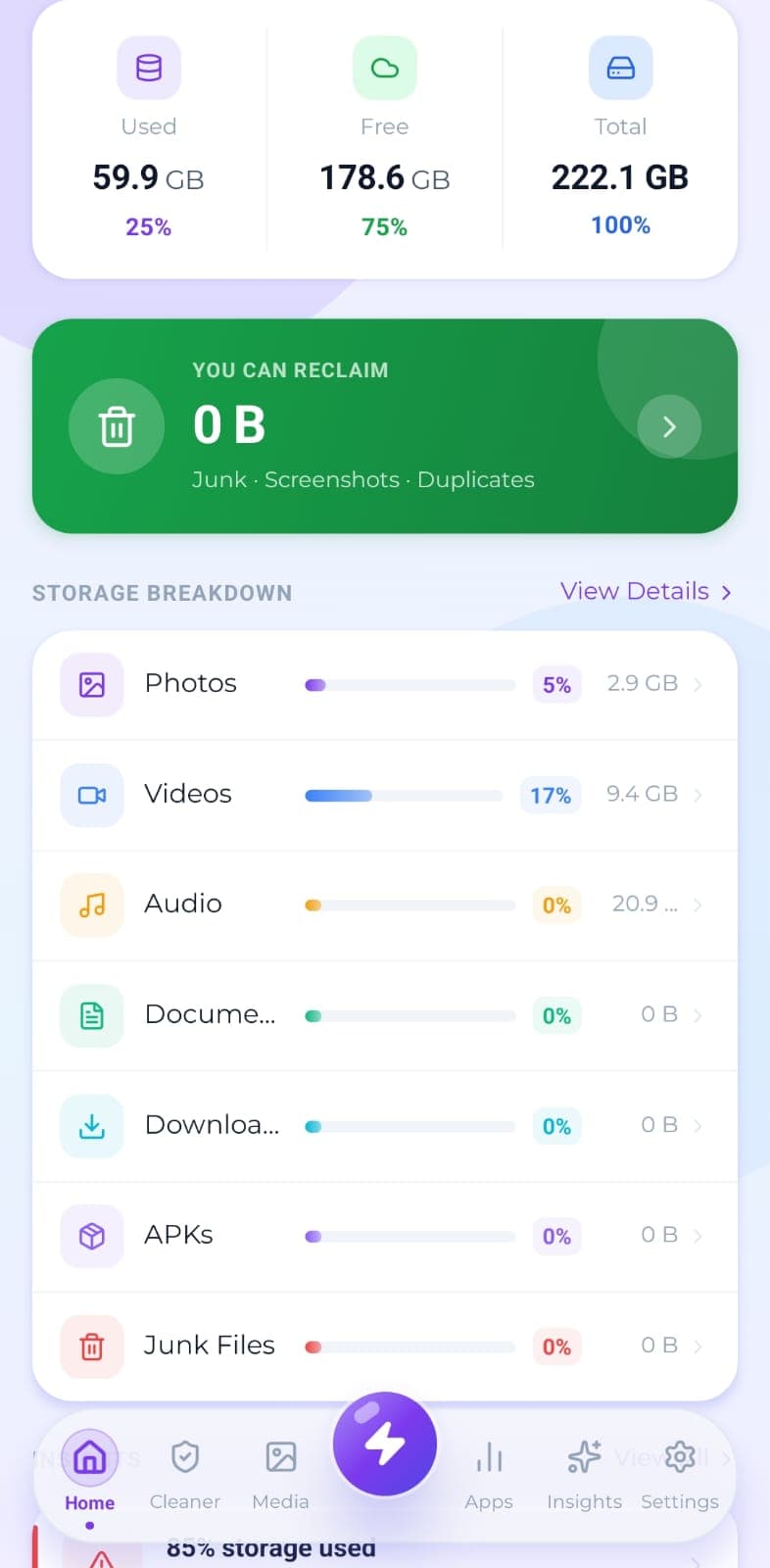
Real disk figures, a category breakdown and a cleanup score from A to F, so you can see what's actually using your storage.
The problem
Most people know their phone says “Storage Full” without knowing what's behind it. So they guess. Guessing usually means deleting the wrong things, like photos they wanted or an app they still use, while the real culprits sit untouched.
What makes it different
There's no fake progress bar. You watch the real file count climb and the real path being scanned, and every number on the dashboard comes from a finished scan of your own device.
How it works
The scan works through your storage 200 files at a time, handing control back to the interface every 16 milliseconds so the app never freezes while it runs.
Total and free space come straight from the device rather than an estimate, so the figures match what your system settings report.
Results land in seven categories: Photos, Videos, Audio, Documents, Downloads, APKs and Junk. Each one shows its share of your storage.
A cleanup score from 0 to 100, graded A to F, sums up where your storage stands. Insight cards flag whatever needs attention.
A storage timeline groups files by age (today, this week, this month, this year, older), which makes forgotten files easy to spot.
Related tools
Temporary files, logs, caches, backups and half-finished downloads, grouped by type so you can see what you're deleting.
The handful of files eating most of your storage, sorted largest first and filterable by type.
Every installed app with its real size, icon and install date, sortable so the heaviest ones surface first.