
Cleaning Tools
Large File Finder
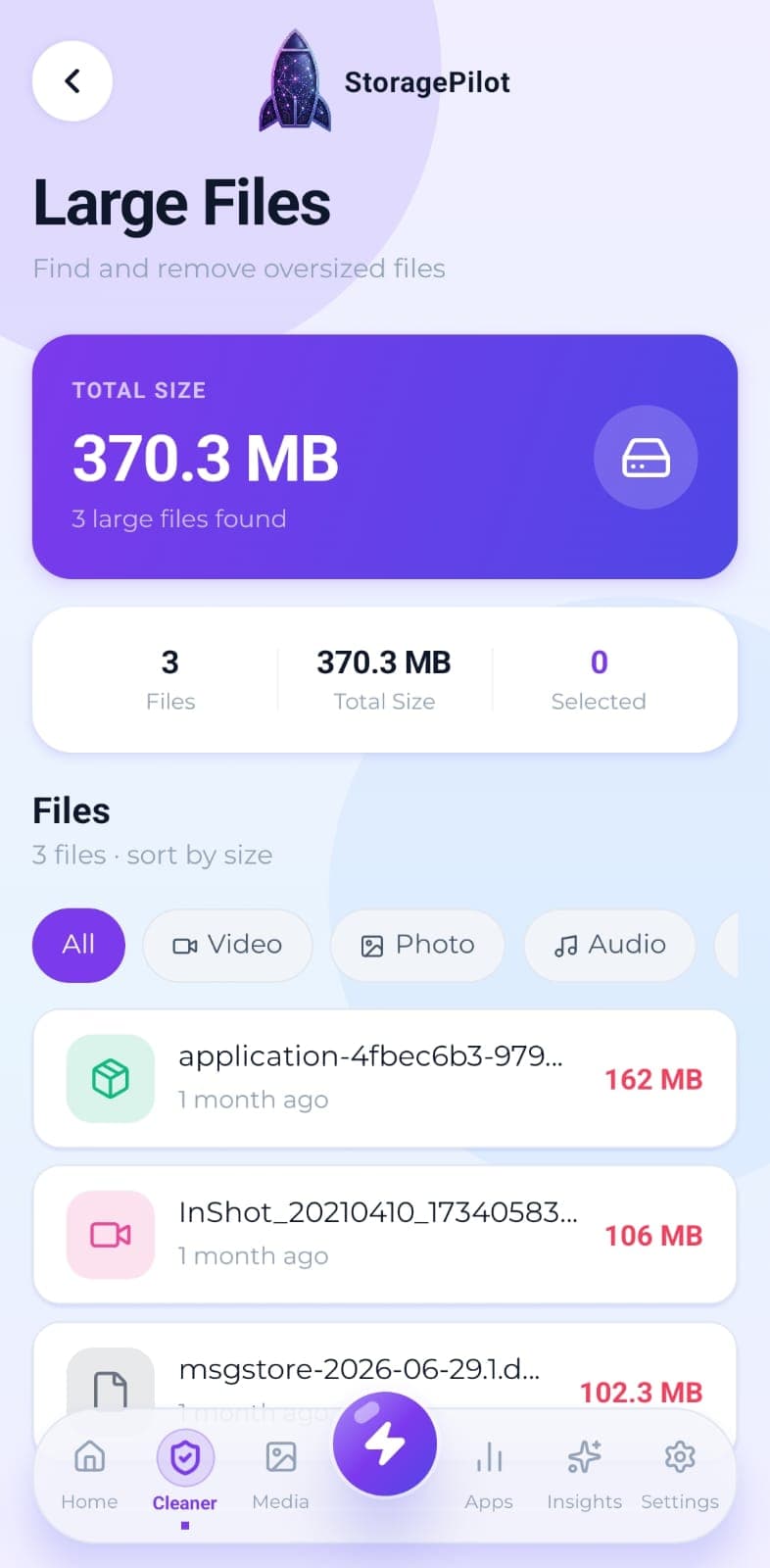
The handful of files eating most of your storage, sorted largest first and filterable by type.
The problem
A handful of very large files usually account for most of the space: an old video, a forgotten backup archive, an installer nobody ever cleared out. Browsing folders by hand almost never turns them up.
What makes it different
Sorting by size is the fastest route to reclaiming gigabytes, and the threshold is yours to set. Nothing goes without a confirmation step.
How it works
Every file above your size threshold appears, largest first. The default is 100 MB, and you can set it to 50, 250 or 500 MB instead.
Filter the list by type: video, photo, audio, documents, APK or archive.
Select several files at once and see the combined size before you commit to anything.
Deleting asks for confirmation first, then reports exactly how much space came back.
Open any file to review its full details before deciding: name, size, type, path and date modified.
Related tools
Real disk figures, a category breakdown and a cleanup score from A to F, so you can see what's actually using your storage.
Your Downloads folder is where files go to be forgotten. This clears it out without touching anything you still need.
Temporary files, logs, caches, backups and half-finished downloads, grouped by type so you can see what you're deleting.