
Cleaning Tools
Smart Junk Cleaner
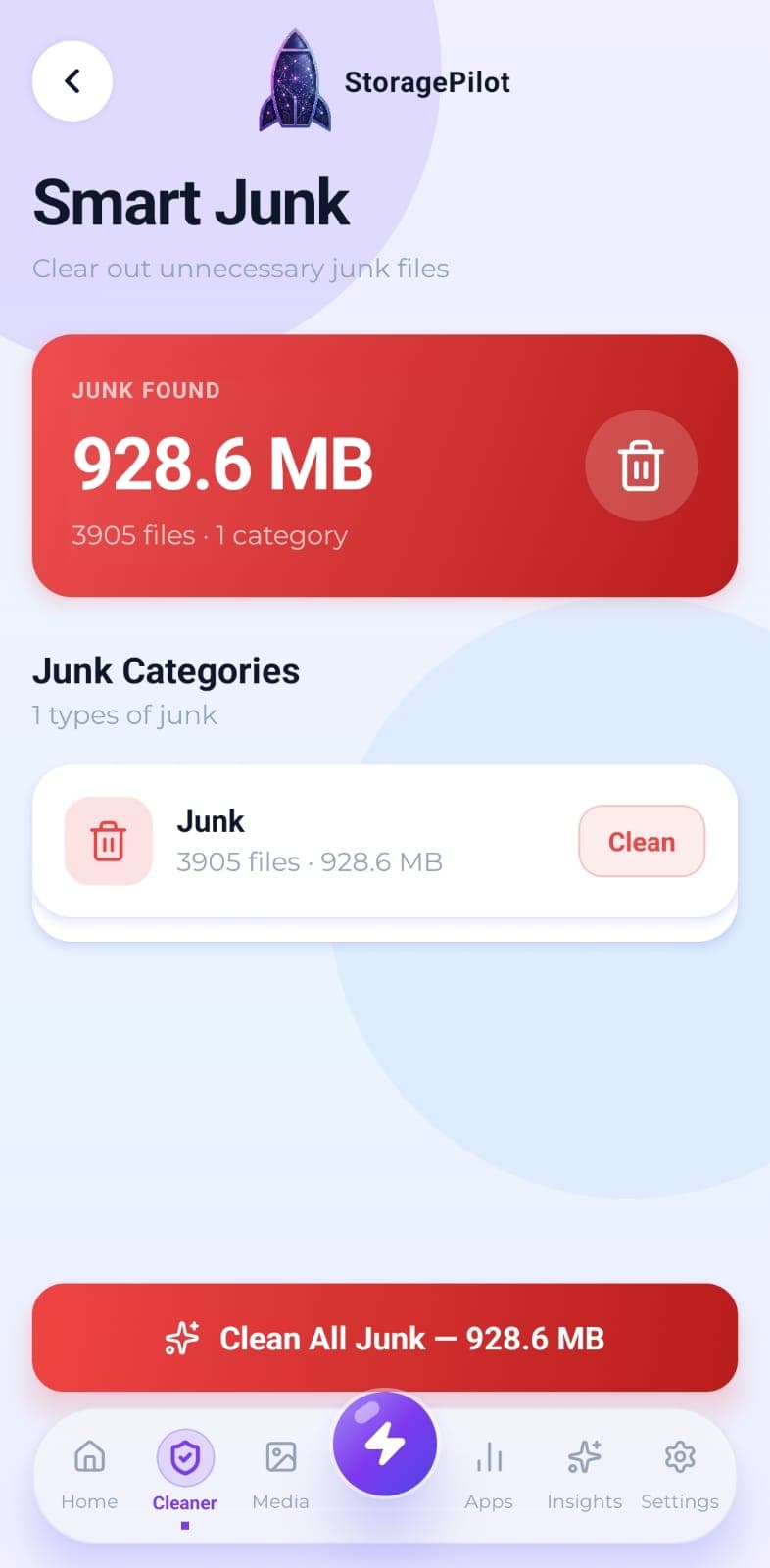
Temporary files, logs, caches, backups and half-finished downloads, grouped by type so you can see what you're deleting.
The problem
Junk accumulates invisibly: cache files, logs, leftover temporary data, downloads that never finished. It's the easiest storage to reclaim and the hardest to find by hand.
What makes it different
Nothing disappears behind a single mystery button. Junk is broken out by category with real file counts and sizes, so you always know what's going and can skip anything you'd rather keep.
How it works
Whatever the scan finds gets grouped by type: temporary files, logs, caches, backups and incomplete downloads.
A summary card shows the total recoverable size across every category.
Clean one category at a time, or clear the lot in a single tap.
Every deletion asks for confirmation first, showing how many files and how much space it involves.
When it finishes, a summary tells you exactly how much space came back and how many files went.
Related tools
Real disk figures, a category breakdown and a cleanup score from A to F, so you can see what's actually using your storage.
Finds the empty directories left behind by apps you uninstalled and files you already deleted.
Your Downloads folder is where files go to be forgotten. This clears it out without touching anything you still need.