
App Management
App Manager
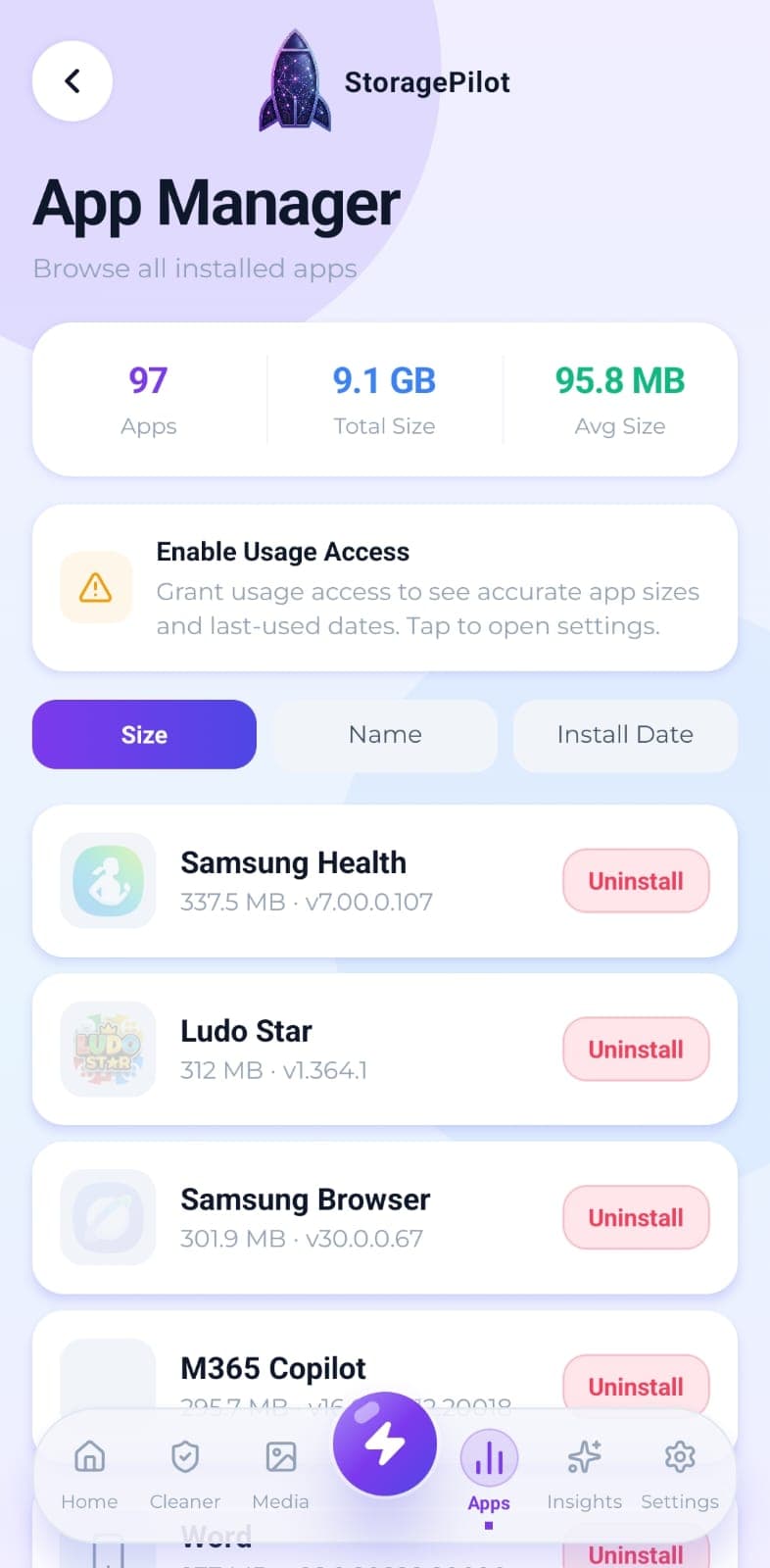
Every installed app with its real size, icon and install date, sortable so the heaviest ones surface first.
The problem
Apps get installed for one trip, one form, one sale, then never opened again. They keep taking space quietly, and Android doesn't make it obvious which ones have gone unused.
What makes it different
App sizes come from Android's own package statistics rather than an estimate. That's why StoragePilot asks for usage access and explains what it's for, instead of quietly collecting the data.
How it works
Every installed app is listed with its icon, size, version and install date. Sort by whichever of those matters to you.
A summary shows the total number of apps, the combined size and the average.
Uninstalling is confirmed through Android's own removal prompt, so it happens through the system rather than silently in the background.
Related tools
Filters your installed apps down to the ones you haven't opened in 30, 90 or 180 days.
Real disk figures, a category breakdown and a cleanup score from A to F, so you can see what's actually using your storage.
Temporary files, logs, caches, backups and half-finished downloads, grouped by type so you can see what you're deleting.