
Scan your storage. See exactly what’s eating your space.
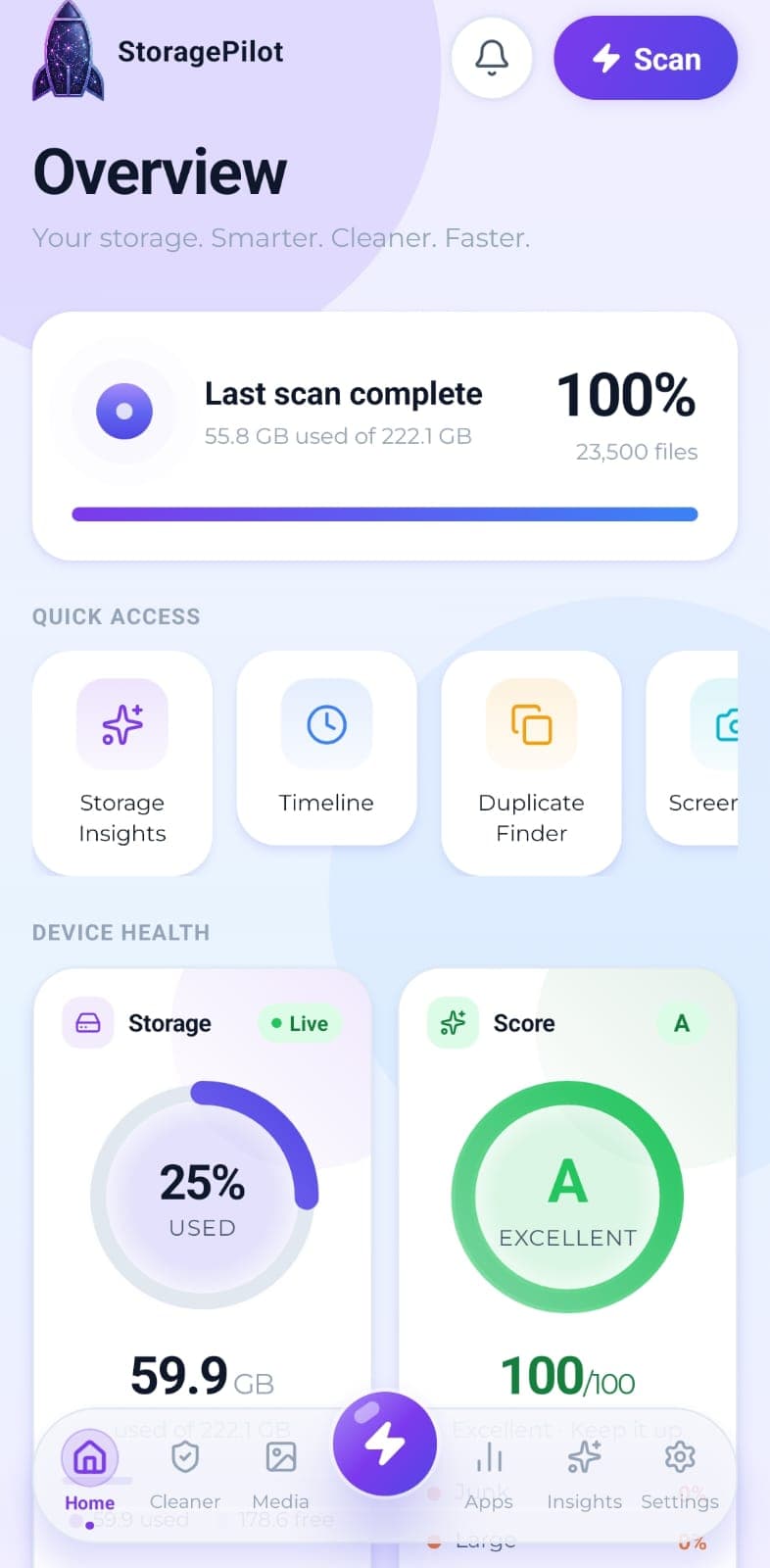
StoragePilot is a privacy-first storage cleaner for Android. It shows you what’s really filling your phone, then helps you clear it: junk, duplicates, screenshots, downloads you forgot about. Not one file leaves your device.
Android 10 and newer. No account required.
Nothing leaves your device
Scanning, hashing, compression and deletion all run locally. No file operation touches the network, because there's no server on the other end of it.
No account, ever
There's no sign-up, no login, no profile. You install the app and it works, offline, straight away.
You confirm every deletion
Nothing is removed silently. Every destructive action shows what it will delete and how much space it frees, then waits for you.
Why this exists
Most cleaner apps are theatre.
Fake scan animations. Ads between every tap. Permissions nobody ever justifies, and files uploaded to a server for no reason at all. StoragePilot is the opposite of that. It's honest about what it finds, it stays fast on the cheap phones that actually need it, and it's private for the simple reason that your data has nowhere to go.
Built for real phones
- Stays responsive while it works. The scan yields to the interface constantly instead of locking the app up. That was a design goal, not a happy accident.
- Asks for less access. Where Android allows it, the app works with a folder you grant rather than demanding your whole device.
- Explains every permission. Before it requests anything, it tells you what that permission is for.
Features
Everything you need to take your storage back
Four groups of tools, all working from a single scan of your device.
Storage Visibility
Real disk figures, a category breakdown and a cleanup score from A to F, so you can see what's actually using your storage.
How it worksTurns a finished scan into a short list of what actually needs attention, with each card linking straight to the tool that fixes it.
How it worksYour files grouped by age, so the things you downloaded once and forgot about are easy to spot.
How it worksCleaning Tools
Temporary files, logs, caches, backups and half-finished downloads, grouped by type so you can see what you're deleting.
How it worksThe handful of files eating most of your storage, sorted largest first and filterable by type.
How it worksFinds the empty directories left behind by apps you uninstalled and files you already deleted.
How it worksYour Downloads folder is where files go to be forgotten. This clears it out without touching anything you still need.
How it worksShrink a photo instead of deleting it. Pick a quality level, see the before and after, keep the result only if you like it.
How it worksSearch everything the scan found by name or file type, without digging through folders.
How it worksMedia Tools
Your photos and videos in one grid with bulk selection, plus a dedicated cleaner for the screenshots that pile up unnoticed.
How it worksFinds genuinely identical photos using SHA-256 hashing, so you get exact matches rather than lookalike guesswork.
How it worksScreenshots get taken constantly and reviewed once. This finds them all and clears them in one pass.
How it worksGroups burst shots and repeated takes of the same scene, so you can keep the best one and drop the rest.
How it worksApp Management
Every installed app with its real size, icon and install date, sortable so the heaviest ones surface first.
How it worksFilters your installed apps down to the ones you haven't opened in 30, 90 or 180 days.
How it worksAlerts & Automation
Optional notifications that tell you storage is filling up before your phone does, checked quietly in the background.
How it worksHow it works
Three steps, under a minute
Freeing space within sixty seconds of opening the app is an explicit product goal, not a marketing figure we made up afterwards.
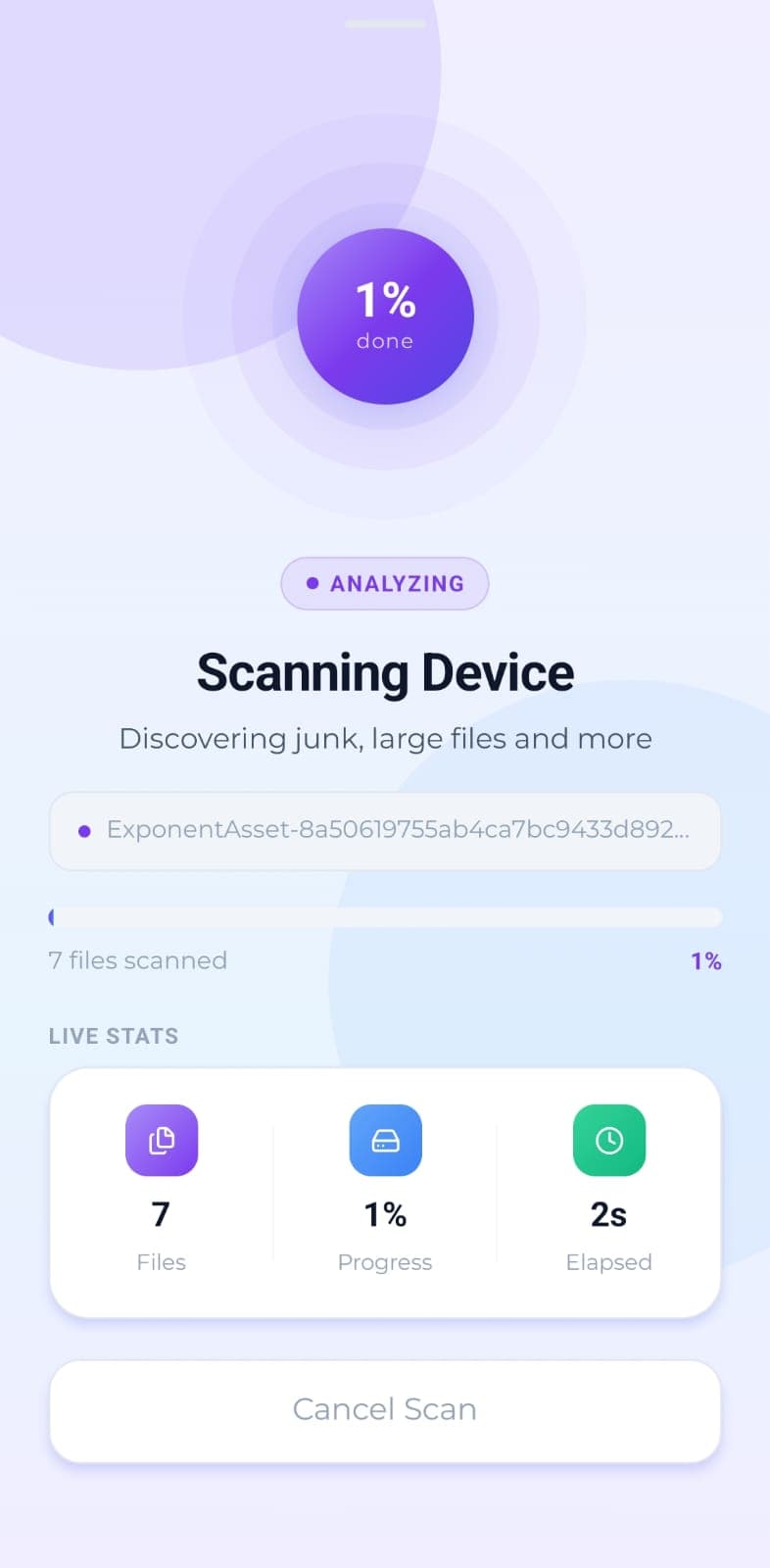
Scan
The app works through your storage in small batches, handing control back to the interface between each one so it never freezes. You watch the real file count climb.
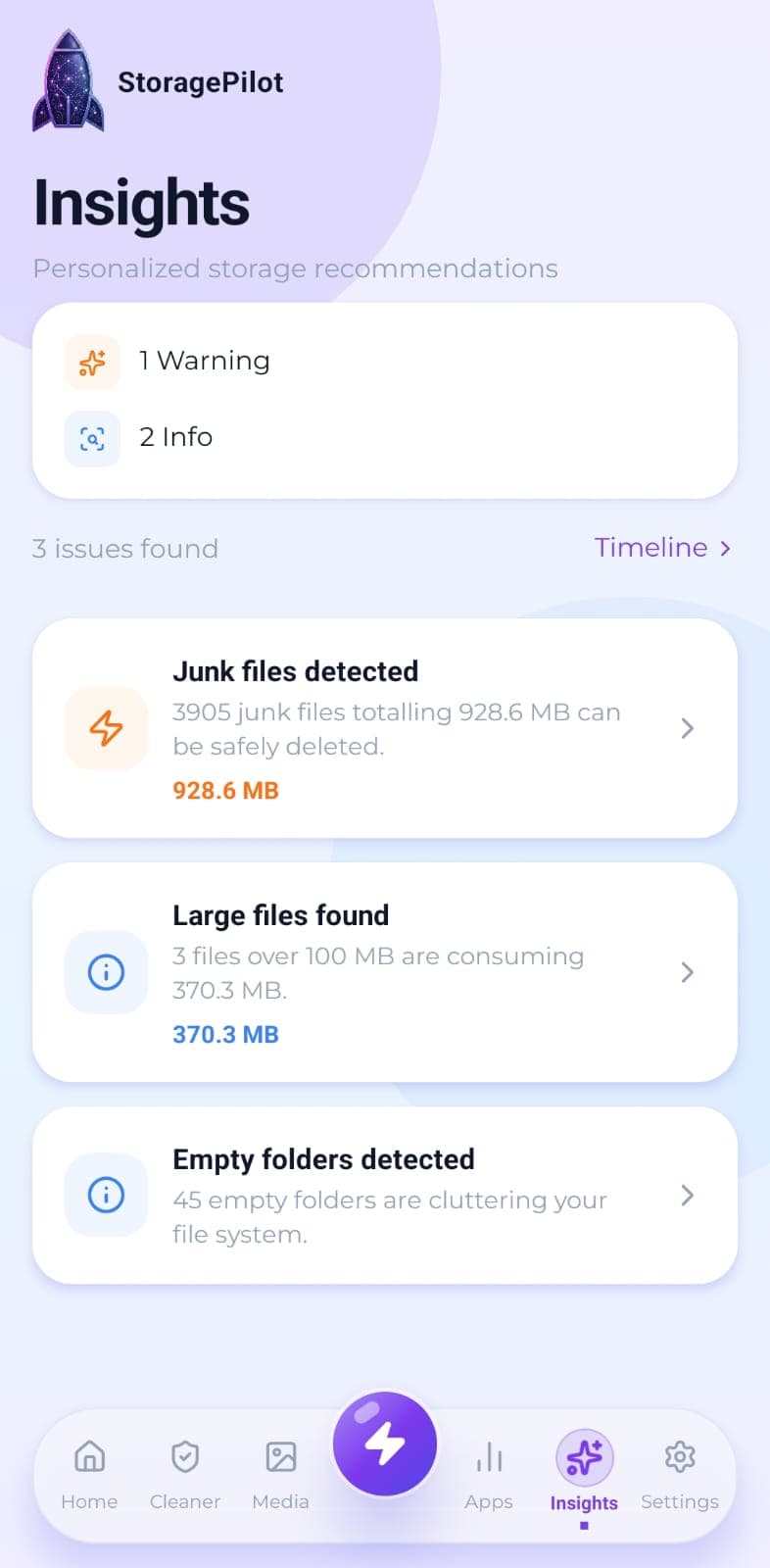
Review
Results arrive as a real breakdown: what's junk, what's duplicated, what's simply large. Every figure comes from your device rather than an estimate.
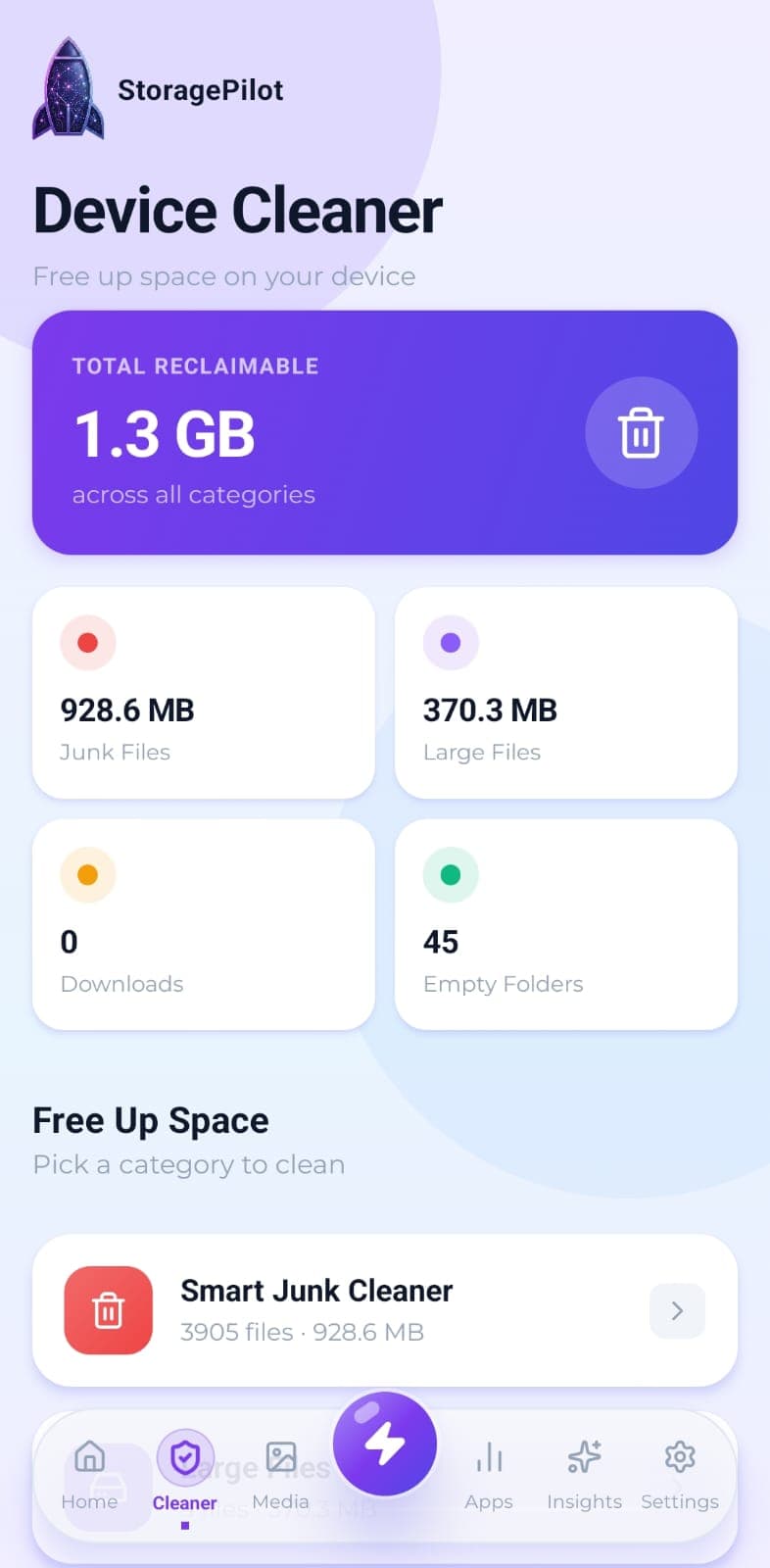
Reclaim
Choose what goes, confirm, and see exactly how much space came back. Repeat whenever your cleanup score starts slipping.
There is no server. That is the whole security model.
A cleaner app doesn’t need the cloud, so StoragePilot doesn’t have one. Your files are read, hashed and deleted on the phone itself. There’s no account to breach, no database of your filenames and no analytics pipeline watching what you delete, because none of that infrastructure exists in the first place.
- Zero network calls for any file operation
- No account, no login, no user profile
- Works fully offline
- Every deletion confirmed by you first
- Duplicate matching is exact, using SHA-256
FAQ
Questions people ask first
Does StoragePilot upload my photos or files?
No. Scanning, duplicate detection, compression and deletion all happen on your device. No file operation makes a network call, and there's no server on the other end to receive anything.
Do I need an account to use StoragePilot?
No. There's no sign-up, no login and no user account of any kind. You install the app and use it.
Does it work without an internet connection?
Yes. Every feature runs offline, because none of them depend on a server.
Find out what is actually filling your phone.
One scan, an honest breakdown, and the tools to act on it. No ads, no account, nothing uploaded.